
A Complete Guide to Building a Website from Scratch (2026 Edition)
Building a website from scratch in 2026 is no longer limited to developers or tech experts. With modern tools, frameworks, and platforms, anyone can create a professional, fast, and SEO-optimized website — whether for business, ecommerce, blogging, or personal branding.
This complete guide will walk you through every step of website development, from planning and domain selection to design, development, SEO, security, and launch.
Whether you are a beginner, startup founder, freelancer, or business owner, this guide is designed to help you build a future-ready website.
Table of Contents
| # | Section Title |
|---|---|
| 1 | What Does “Building a Website from Scratch” Mean in 2026? |
| 2 | Step 1: Define Website Goals & Purpose |
| 3 | Step 2: Choose the Right Type of Website |
| 4 | Step 3: Domain Name & Hosting Selection |
| 5 | Step 4: Planning Website Structure & Sitemap |
| 6 | Step 5: UI/UX Design & Wireframing |
| 7 | Step 6: Choosing the Right Technology Stack |
| 8 | Step 7: Website Development (Frontend & Backend) |
| 9 | Step 8: Content Creation & Optimization |
| 10 | Step 9: SEO Setup for 2026 |
| 11 | Step 10: Performance & Speed Optimization |
| 12 | Step 11: Website Security Essentials |
| 13 | Step 12: Testing & Quality Assurance |
| 14 | Step 13: Website Launch Checklist |
| 15 | Step 14: Maintenance & Scaling |
| 16 | Final Thoughts |
1. What Does “Building a Website from Scratch” Mean in 2026?
In 2026, building a website from scratch does not always mean coding everything manually. It means:
- Planning the website properly
- Choosing the right tools and technologies
- Creating a scalable, secure, and SEO-friendly foundation
- Customizing design and functionality as per your needs
You can build a website using:
- CMS platforms like WordPress
- Modern frameworks like React or Next.js
- Website builders with advanced customization
The goal is control, performance, and long-term growth.
2. Step 1: Define Website Goals & Purpose
Before touching design or code, ask yourself:
- Why am I building this website?
- Who is my target audience?
- What action should users take?
Common website goals:
- Generate leads
- Sell products (ecommerce)
- Build brand authority
- Share content or knowledge
- Provide services
3. Step 2: Choose the Right Type of Website
Different goals require different website structures.
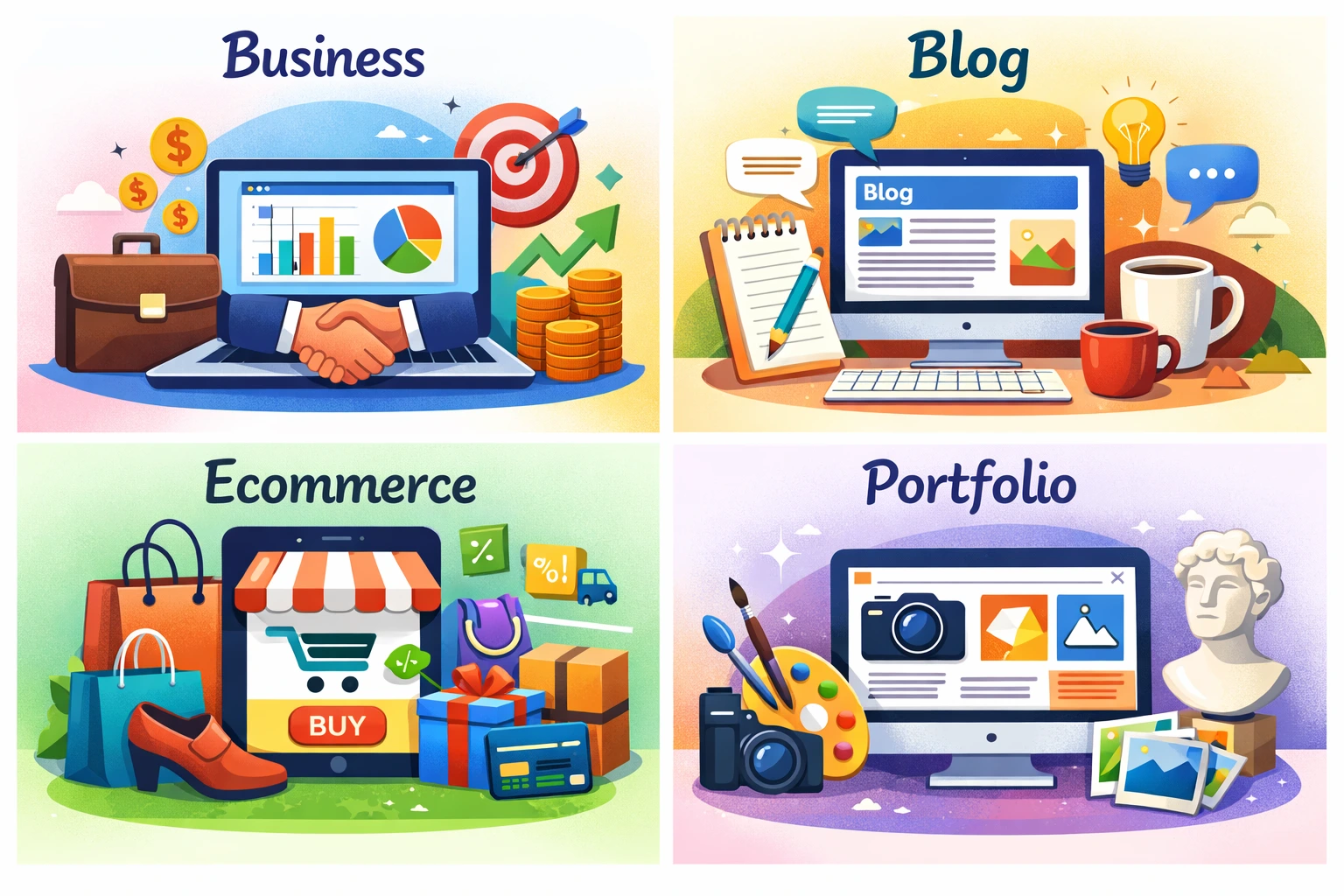
Popular website types:
- Business website – Services, contact, trust pages
- Ecommerce website – Products, cart, checkout
- Blog or content website – Articles, categories
- Portfolio website – Projects, case studies
- Landing pages – Ads & conversions
Choosing the right type helps avoid redesign later.
4. Step 3: Domain Name & Hosting Selection
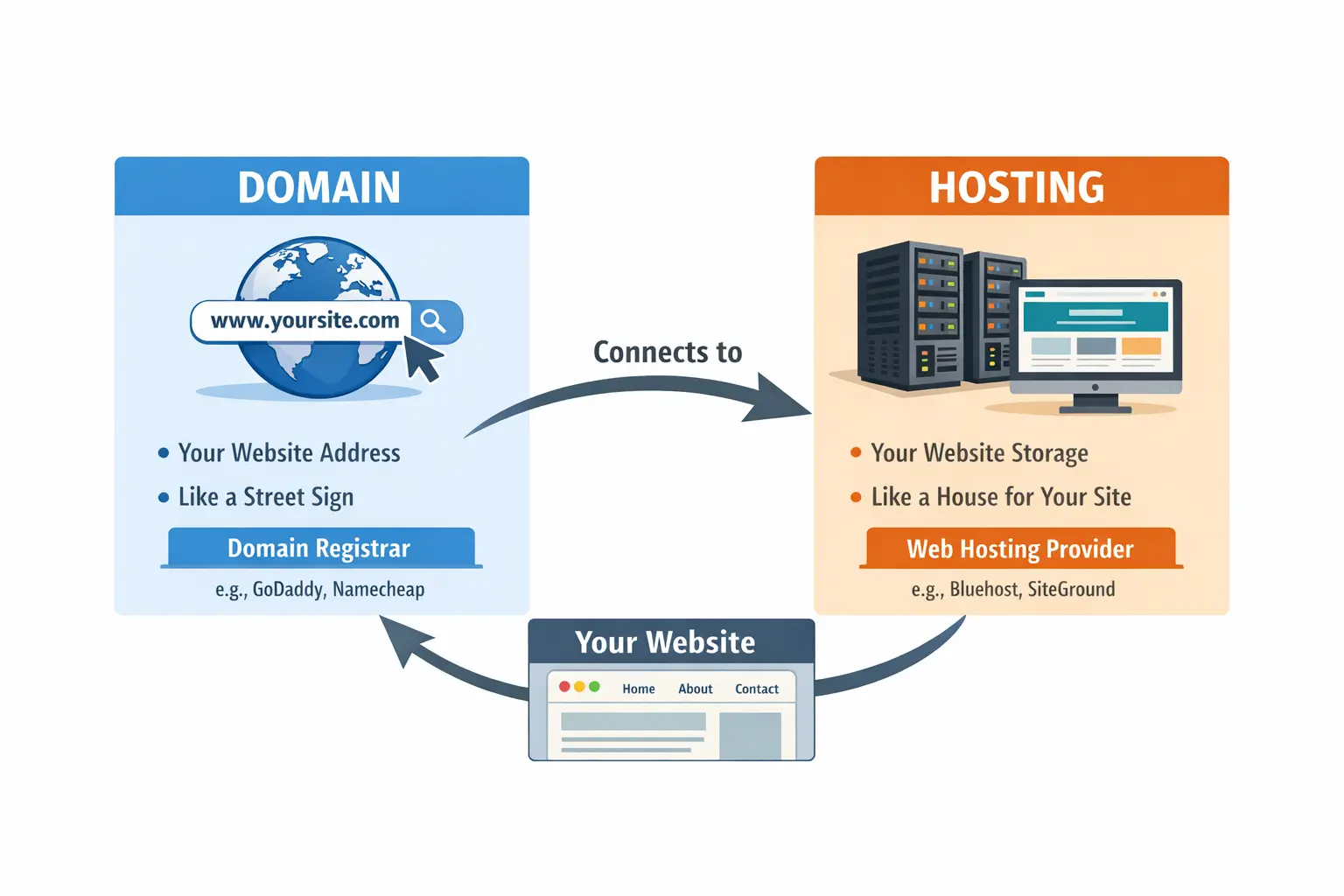
✅ Domain Name Tips (2026)
- Keep it short and brandable
- Avoid numbers & hyphens
- Prefer
.com,.in, or relevant TLD - Easy to spell and remember
✅ Hosting Types:
- Shared Hosting (beginners)
- VPS Hosting (growing websites)
- Cloud Hosting (scalable & fast)
- Managed WordPress Hosting (recommended for non-tech users)
5. Step 4: Planning Website Structure & Sitemap
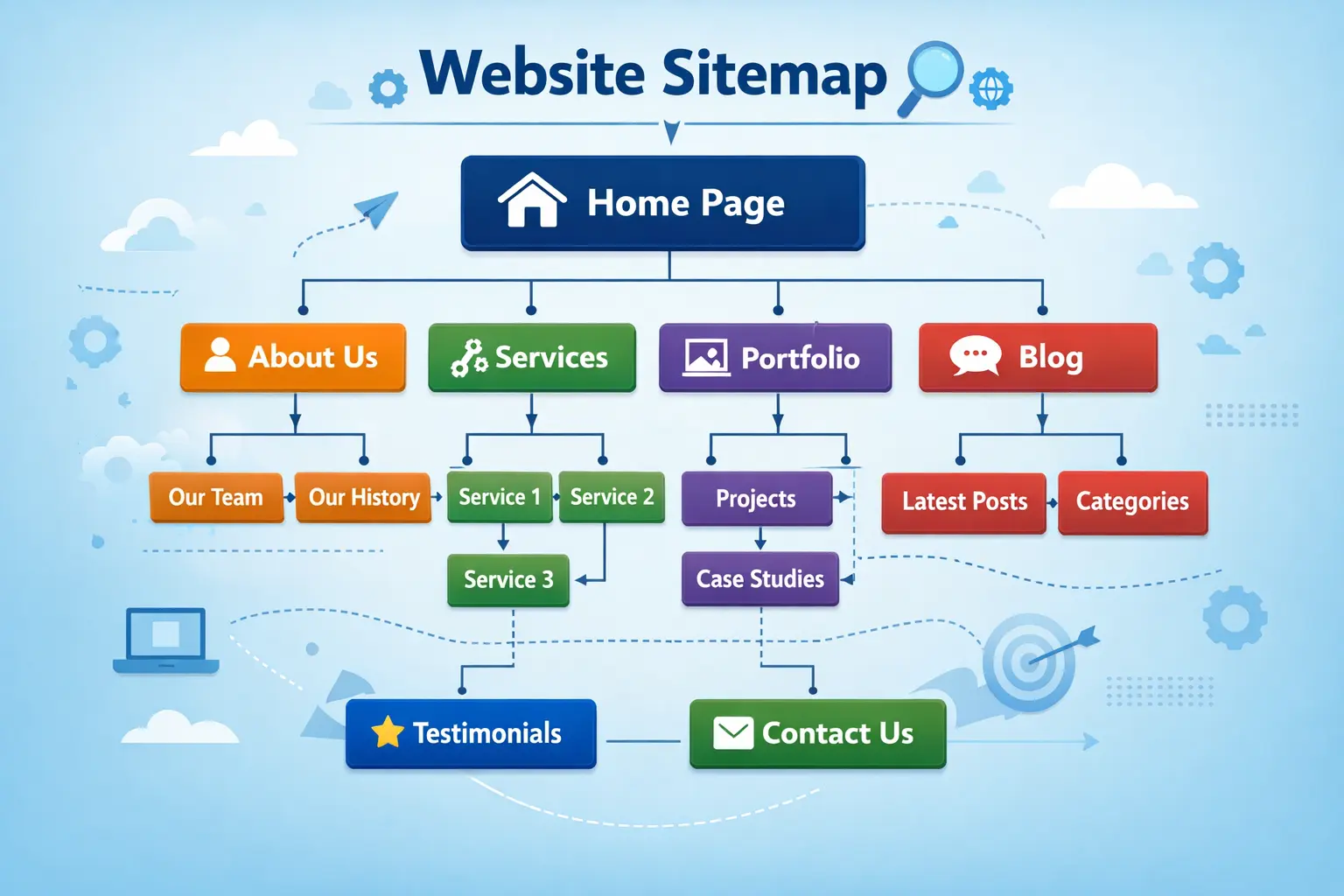
A clear structure improves UX and SEO.
Basic Website Structure:
- Home
- About
- Services / Products
- Blog
- Contact
- Privacy Policy & Terms
📌 Create a sitemap before development.
6. Step 5: UI/UX Design & Wireframing
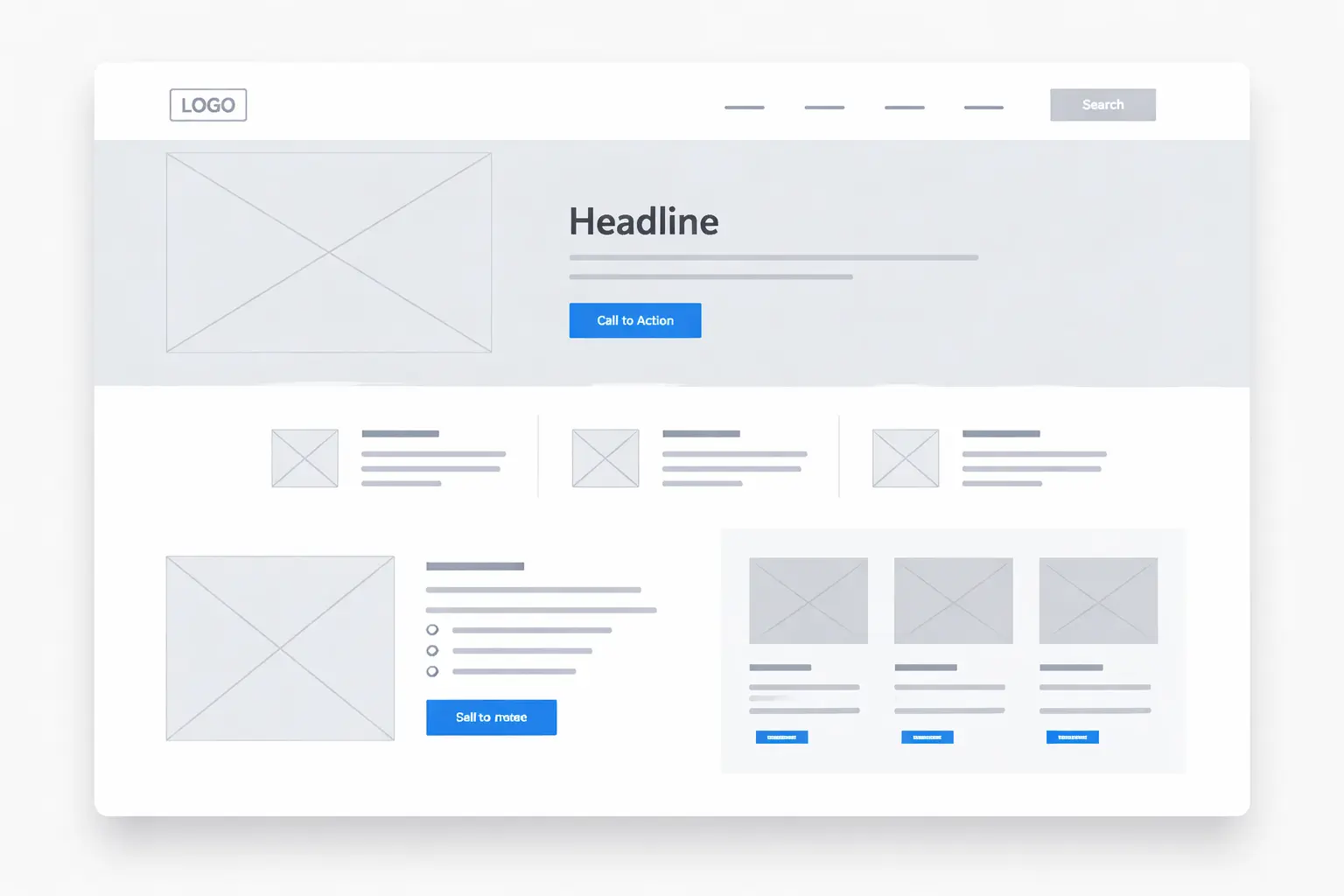
Good design is not about looks only — it’s about usability.
UI/UX Best Practices:
- Clean layout
- Clear navigation
- Readable typography
- Consistent colors
- Strong CTAs
Tools for wireframing:
- Figma
- Adobe XD
- Sketch
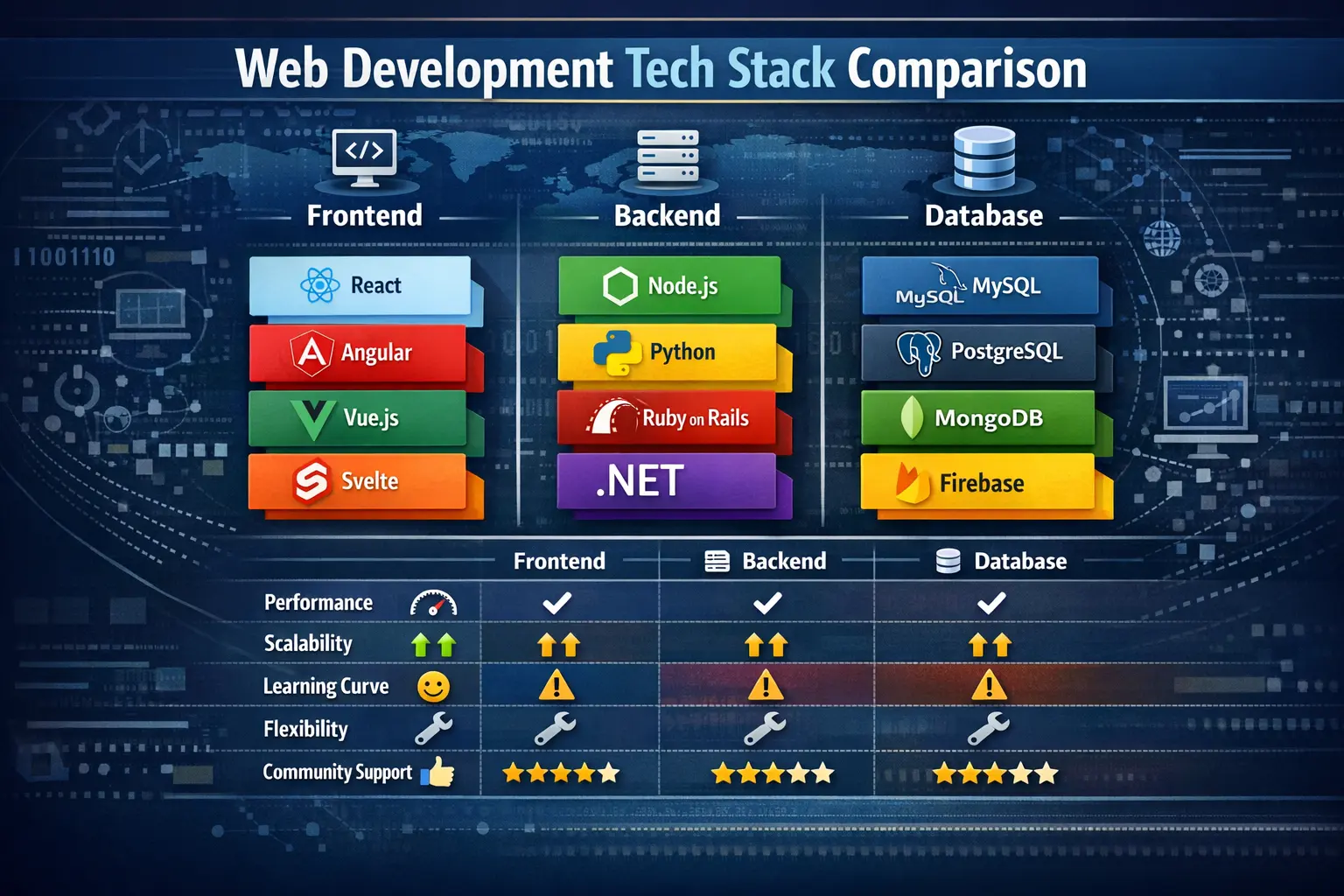
7. Step 6: Choosing the Right Technology Stack
Your tech stack depends on skills and requirements.
Option 1: CMS-Based (Most Popular)
- WordPress
- WooCommerce
- Elementor
Best for: Businesses, blogs, ecommerce
Option 2: Custom Development
- Frontend: HTML, CSS, JavaScript, React
- Backend: Node.js, PHP, Python
- Database: MySQL, MongoDB
Best for: Complex or custom platforms
8. Step 7: Website Development (Frontend & Backend)
Frontend Development Includes:
- Page layouts
- Responsive design
- User interactions
Backend Development Includes:
- Database handling
- User authentication
- Content management
In 2026, mobile-first and performance-first development is mandatory.
9. Step 8: Content Creation & Optimization
Content is the backbone of your website.
Content Essentials:
- Clear headlines
- Short paragraphs
- Visual support (images, icons)
- SEO-optimized text
Types of content:
- Homepage copy
- Service descriptions
- Blog articles
- FAQs
10. Step 9: SEO Setup for 2026
SEO is no longer optional.
Key SEO Elements:
- Keyword research
- Meta titles & descriptions
- Header structure (H1–H6)
- Internal linking
- Image optimization
2026 SEO Focus:
- Core Web Vitals
- EEAT (Experience, Expertise, Authority, Trust)
- Voice search readiness
- AI-assisted search results
11. Step 10: Performance & Speed Optimization
Fast websites convert better.
Speed Optimization Tips:
- Use optimized images
- Enable caching
- Use CDN
- Minify CSS & JS
- Choose lightweight themes
12. Step 11: Website Security Essentials
Security is critical in 2026.
Must-Have Security Measures:
- SSL certificate (HTTPS)
- Strong passwords
- Regular backups
- Firewall protection
- Malware scanning
13. Step 12: Testing & Quality Assurance
Before launch, test everything.
Testing Checklist:
- Mobile responsiveness
- Browser compatibility
- Page speed
- Forms & checkout
- Broken links
14. Step 13: Website Launch Checklist
Before going live:
- Connect domain
- Enable SSL
- Submit sitemap to Google
- Set up analytics
- Check 404 pages
15. Step 14: Maintenance & Scaling
A website is never “finished”.
Ongoing Tasks:
- Content updates
- Plugin & theme updates
- SEO improvements
- Performance monitoring
- Security audits
Scaling options:
- Upgrade hosting
- Add new features
- Improve UX based on data
Final Thoughts
Building a website from scratch in 2026 is about planning smart, choosing the right tools, and focusing on performance and user experience.
Whether you use WordPress or custom development, success depends on:
- Clear goals
- Strong design
- Quality content
- SEO optimization
- Continuous improvement
A well-built website is not just an asset — it’s a growth engine for your brand or business.