

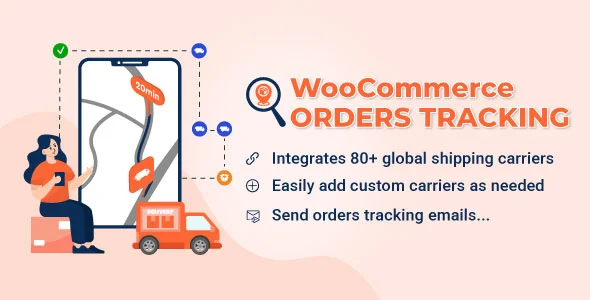
WooCommerce Orders Tracking – SMS – PayPal Tracking Autopilot
🔥 243 items sold
- Instant download after purchase
- Quality checked by Team Webgpl
- 100% Original Product and Virus Free
- Regular updates notifications
- Lifetime future free updates
- Use on unlimited websites
- 24/7 customer support
Description
WooCommerce Orders Tracking – SMS – PayPal Tracking Autopilot v1.1.18
WooCommerce Orders Tracking is a powerful plugin designed to keep your customers updated with real-time order tracking plugin details for their purchases. With seamless integration, this tool allows you to efficiently manage tracking numbers, import/export orders, and generate direct tracking URLs — ensuring a transparent and smooth shopping experience.
Supporting 90+ global shipping carriers and multiple payment gateways, the plugin goes a step further with PayPal integration, letting you automatically sync tracking details with customers’ PayPal transactions. Customers can also receive instant notifications via email or SMS, keeping them informed about every update in their delivery journey.
For multilingual stores, Polylang and WPML compatibility ensures that tracking emails and SMS messages can be sent in different languages, making it easy to provide personalized communication for global audiences.
Key Features:
-
Live order tracking with 90+ shipping companies
-
Easy management of tracking numbers (manual or bulk import/export)
-
Direct tracking links for customers
-
PayPal integration to update transactions with tracking info
-
SMS & email notifications for order status updates
-
Multilingual support with Polylang/WPML
Enhance customer satisfaction, reduce support requests, and streamline your store’s fulfillment process with WooCommerce Orders Tracking.
Tags – aliexpress, Automatically Add Tracking Information To PayPal, ecommerce, import tracking code to woocommere orders, order tracking for woocommerce, order tracking page, tracking code sms, tracking service, trackingmore, woocommerce, woocommerce orders tracking, wordpress
Current Version – 1.1.18
| Last Update | |
| Gutenberg Optimized | Yes |
| High Resolution | Yes |
| Compatible Browsers | Firefox, Safari, Chrome, Edge |
| Compatible With | WooCommerce 9.x.x, WooCommerce 8.x.x, WooCommerce 7.x.x, WooCommerce 6.x.x |
| Files Included | JavaScript JS, CSS, PHP |
| Software Version | WordPress 6.8.x, WordPress 6.7.x, WordPress 6.6.x, WordPress 6.5.x, WordPress 6.4.x, WordPress 6.3.x, WordPress 6.2.x, WordPress 6.1.x |
Why Choose GPL Downloads:
1. Legal and Ethical Integrity:
Selecting GPL (General Public License) downloads ensures legal compliance, allowing you to use, modify, and distribute themes while upholding ethical standards and copyright laws.
2. Community Support:
Enjoy the advantages of a robust developer community surrounding GPL-licensed plugins. Tap into forums, discussions, and collective expertise for valuable assistance in troubleshooting and advice.
3. Customization Freedom:
With GPL, seize the liberty to tailor plugin to your precise specifications. Modify code, integrate features, and adapt designs without encroaching upon licensing boundaries, enabling a truly personalized experience.
4. Respect for Developers:
Opting for GPL downloads demonstrates appreciation for developers’ dedication and talent. By choosing GPL, you contribute to a sustainable ecosystem that rewards developers for their innovative contributions, fostering a culture of respect and support.
Features:
1. Shipping Carriers in WooCommerce Orders Tracking
- Integrating over 90 shipping carriers globally, WooCommerce Orders Tracking provides extensive carrier options. You can also add your custom shipping carrier when needed.
- Integrated Carrier Selection: Choose from a list of 90+ carriers that suit your requirements.
- Automated Tracking URL: When inputting a tracking number, simply select the carrier and fill in the number. The plugin generates the tracking URL automatically.
- Toggle Active Carriers: Easily show or conceal specific shipping carriers as per your preference.
- Custom Carrier Addition: You can add custom carriers by specifying the carrier name, slug, and tracking URL.
2. Send order tracking information emails.
- Sending Tracking Emails: Choose to send a tracking email to the customer when adding a tracking number to their orders.
- Edit the tracking email: The tracking email can be customized with the email subject, heading, and content. The plugin provides shortcodes that display customer names, order IDs, shipping information, etc., in emails.
- Create orders tracking email template when combined with the WooCommerce Email Template Customizer plugin.
3. WooCommerce Emails in WooCommerce Orders Tracking
- Include the tracking information in the WooCommerce emails when the order status changes.
- Select a position in the WooCommerce emails to place the tracking information.
4. SMS feature in WooCommerce Orders Tracking
- The SMS functionality allows you to inform your customers by SMS with a tracking URL when the tracking info is changed.
- There are 3 SMS Providers for you to choose including Twilio, Nexmo, and Plivo.
- Text mode to check the connection
- Automatically send SMS to notify customers about updating tracking info of Aliexpress orders when combing with the ALD – Aliexpress Dropshipping and Fulfillment for WooCommerce.
5. PayPal feature in WooCommerce Orders Tracking
- Automatically add shipping information: Shipping information including the carrier name, tracking number, and shipment status will be added to your Paypal transaction details automatically.
- Paypal Sandbox supported: The plugin provides a sandbox mode option that allows you to test the feature with a Paypal Sandbox account before using it with your live account.
- Automatically add the tracking number to PayPal after AliExpress orders are synced by our ALD plugin (Installing and activating the ALD plugin is required)
Support many core PayPal plugins (Check the Compatibility list)
6. Tracking service and Google reCAPTCHA
- WooCommerce Orders Tracking integrates with TrackingMore, Cainiao, EasyPost, Aftership, Tracktry, and 17Track through API. The plugin will get the shipping information from these tracking services and transfer it to your customers. Please take carefully the red note below.
- TrackingMore, EasyPost, Aftership, 17Track, Tracktry: These options require a valid API/Access key to work. WooCommerce Orders Tracking will automatically get tracking information from these tracking services.
- Cainiao: This tracking service doesn’t need API to work.
- Google reCAPTCHA: This option helps you protect your website from spam and abuse.
7. Add/Edit tracking information
WooCommerce Orders Tracking lets you add/edit tracking info in particular orders – manually with each order in WooCommerce > Orders page, or do it in bulk with the function of exporting orders/importing tracking info with a CSV file
7.1. Export orders and Import tracking info using a CSV file
- The plugin provides the function of bulk importing the tracking info with CSV files. You can select orders export them to a CSV file, and add tracking info to the exported file. Then import that CSV file back and the tracking info will be added to your WooCommerce orders and Paypal transaction details.
- Order filters: Filters help you select the orders you want to export by created date, paid date, completed date, status, billing address, shipping address, payment method, and shipping method.
- Export fields: Select the order fields you want to export. Including Order ID, Order Item ID, Product ID, Variation ID, Product Name, Product Price, Quantity, and Product SKU…
- Import tracking info using CSV files: After editing the exported orders file add tracking info. You can import that file back. Tracking info will be automatically added to your WooCommerce orders.
7.2. Add/Edit the tracking info manually in WooCommerce Orders Tracking
- Add the tracking info: You can select the orders you want to add the tracking information in the WooCommerce > Orders
- The info you can change includes the tracking number, Tracking carrier, Shipping carrier, Changing order status, sending an email to the customer (if tracking info changes), and Adding the tracking number to the PayPal option.
- Bulk set tracking number: This option helps you save time when adding tracking numbers to orders that have many different items.
- Manage tracking by order; order items; or both: Control the tracking number at the item level in each order. Add trackings on the order list page.
8. Create an Order Tracking page in WooCommerce Orders Tracking
- An Order Tracking page is created automatically when the plugin is activated, but you can also select a page and make it the Order Tracking page with the shortcodes we provide.
- The tracking page allows your customer to check the shipping information on your site (instead of going to the shipping carrier site).
- Get the timeline via AJAX.
- Design the tracking page: The page has two templates and multiple design options for you to change its front end.
- Translate the timeline on the tracking page using the Google Cloud Translation API.
- Translate date time: Date time displays by default in English. It will be translated to your site’s locale through the translation date time option.
- Default tracking info and tracking number if new orders have not been updated tracking information after purchase.
Related products

Meow Lightbox Pro Plugin

BookingPress Pro – Appointment Booking Calendar Plugin and Online Scheduling Plugin

AliExpress Dropshipping Business plugin for WooCommerce

YellowPencil – Visual CSS Style Editor Plugin for WordPress

Reviews
There are no reviews yet.